
Multi-vendor commerce
An online marketplace for cakes, sweets and gifts, where sellers take orders for delivery or pickup.
A tool for landscaping companies to check the quality of their work on site and prove it with photos.
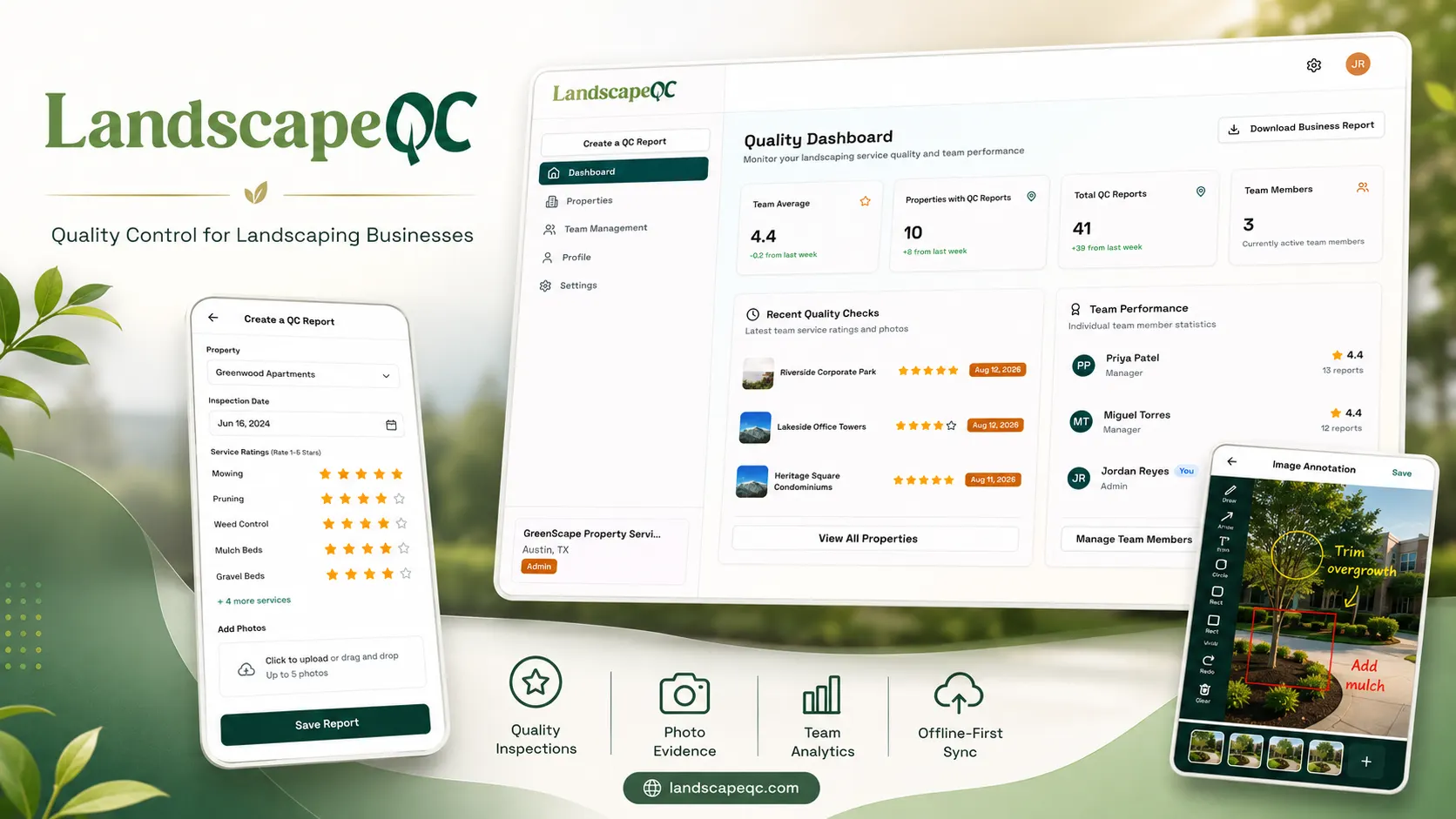
Landscaping companies in the United States had no proper way to record how good their work actually was. Quality checks happened through photos buried in someone's phone, a quick verbal report, or a spreadsheet. That makes it hard to prove the standard of your work to a property manager, spot a crew whose work is slipping, or hold anyone accountable. LandscapeQC gives them a structured way to do it, and was built for a real client in that business.
A company signs up and adds the properties it maintains, each with the client's name, address and phone number. It then invites its field managers by email. Out on site, a manager picks the property and records an inspection covering up to nine services: mowing, pruning, weed control, mulch beds, gravel beds, plant health, turf health, floriculture health and irrigation. Each one gets a rating out of five, a written note, and up to five photos.
The photos are the point of the whole thing, so they can be marked up before they are attached. The annotation tool lets a manager draw freehand on the image, drop a text label, circle a problem area or box off a section, with undo and redo. Crucially it exports at the photo's real resolution rather than the size shown on the screen, so the detail that made the point in the first place survives into the report.
The part I like most is Lite mode. Crews often work where the signal is bad, and making someone create an account before they can record anything kills adoption on day one. So the entire app works with no account at all, storing properties, reports and photos in the browser itself. When that person signs up later, the dashboard notices the local data, shows them exactly what it found, and uploads everything in one click, converting the stored photos into hosted links and marking each report as synced so nothing goes up twice.
Back in the office, the dashboard shows the team's average rating, how many properties and reports there are, and how each number moved against last week. It ranks the top performers using a score that weighs their average rating at 70 percent and the number of inspections they did at 30 percent, so someone cannot top the list on volume alone. Every property carries a status worked out automatically from when it was last inspected: Current if it was within three days, Active within thirty, and Needs Attention past that, which turns a list of properties into a list of things to chase. Each property also has a six month trend chart and a per service breakdown.
All of it can be exported as a multi page branded PDF built entirely in the browser, opening with the business details, then a table of every property, then each inspection in full with its star ratings, inspector notes and the photos pulled in and embedded. That single file is what gets sent to a property manager who will never log into the system.
Team management sits on top: an admin invites someone by email and that person can join either by typing the code from the email or by clicking the link, whichever suits where they are. Members are either admins or managers, and the navigation changes to match. The platform was built using Next.js for front end with Redux Toolkit for state, an Express and MongoDB backend, and Cloudinary handling the photo storage and delivery.
Field crews often work where there is no usable signal, but forcing an account before they can record anything kills adoption.
Built Lite mode on localForage and IndexedDB so the full report flow, including photos held as base64, works with no account and no network. On signup the dashboard spots the stored data, shows exactly what will be uploaded, and syncs it in one click, marking each report as synced so nothing is duplicated.
Photos shrunk to fit the annotation canvas would have exported at screen size, losing the detail that makes the evidence useful.
Tracked the scale factor between the displayed canvas and the real image, then applied its inverse on export, so annotations land in the right place on a full resolution photo. Undo and redo run off a 20 state ring buffer.
A property that has not been inspected in weeks is the real problem, but nobody was going to check dates by hand.
Made the status a Mongoose virtual computed from the last report date, so it is always current with no background job, and used a post save hook on reports to keep that date in sync.
Reports needed to be shareable with property managers who will never log in.
Generated a full multi page PDF in the browser with jsPDF, pulling each photo from Cloudinary and embedding it, so a business can send a complete branded inspection report as a single file.
Invites had to work whether someone opened the email on their phone or moved to a laptop.
Sent both an OTP code and a signed JWT link in the same email, with either path leading to the same account setup, and a status flow of pending, verified, accepted or expired so an admin can see where an invite got stuck.
Multi-vendor commerce
An online marketplace for cakes, sweets and gifts, where sellers take orders for delivery or pickup.

AI mobile app generation
An AI platform that turns a plain English description into a real mobile app you can install on your phone.
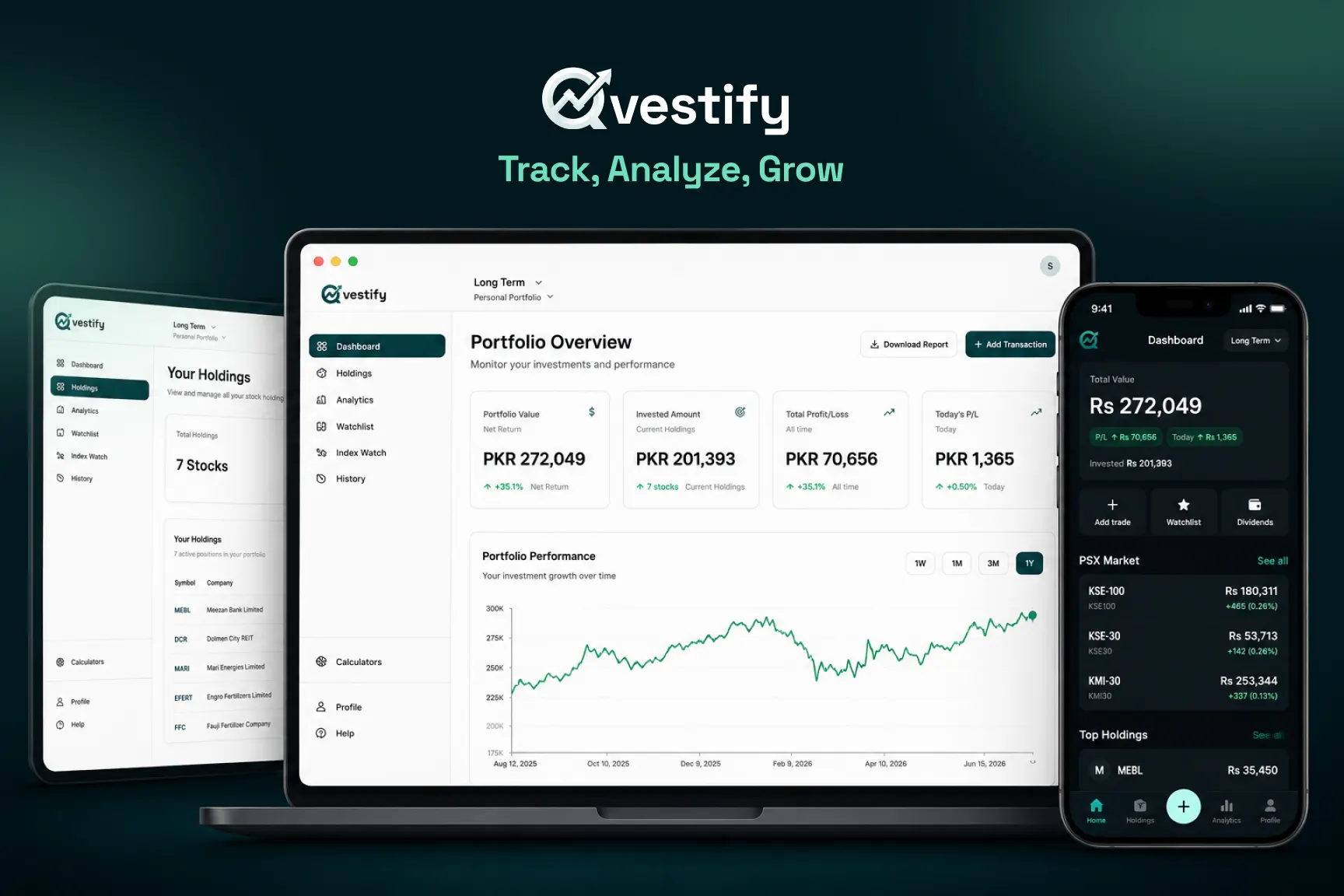
Portfolio tracking for the PSX
An app that helps Pakistani stock investors track what they own, what it is worth and how it is doing.